
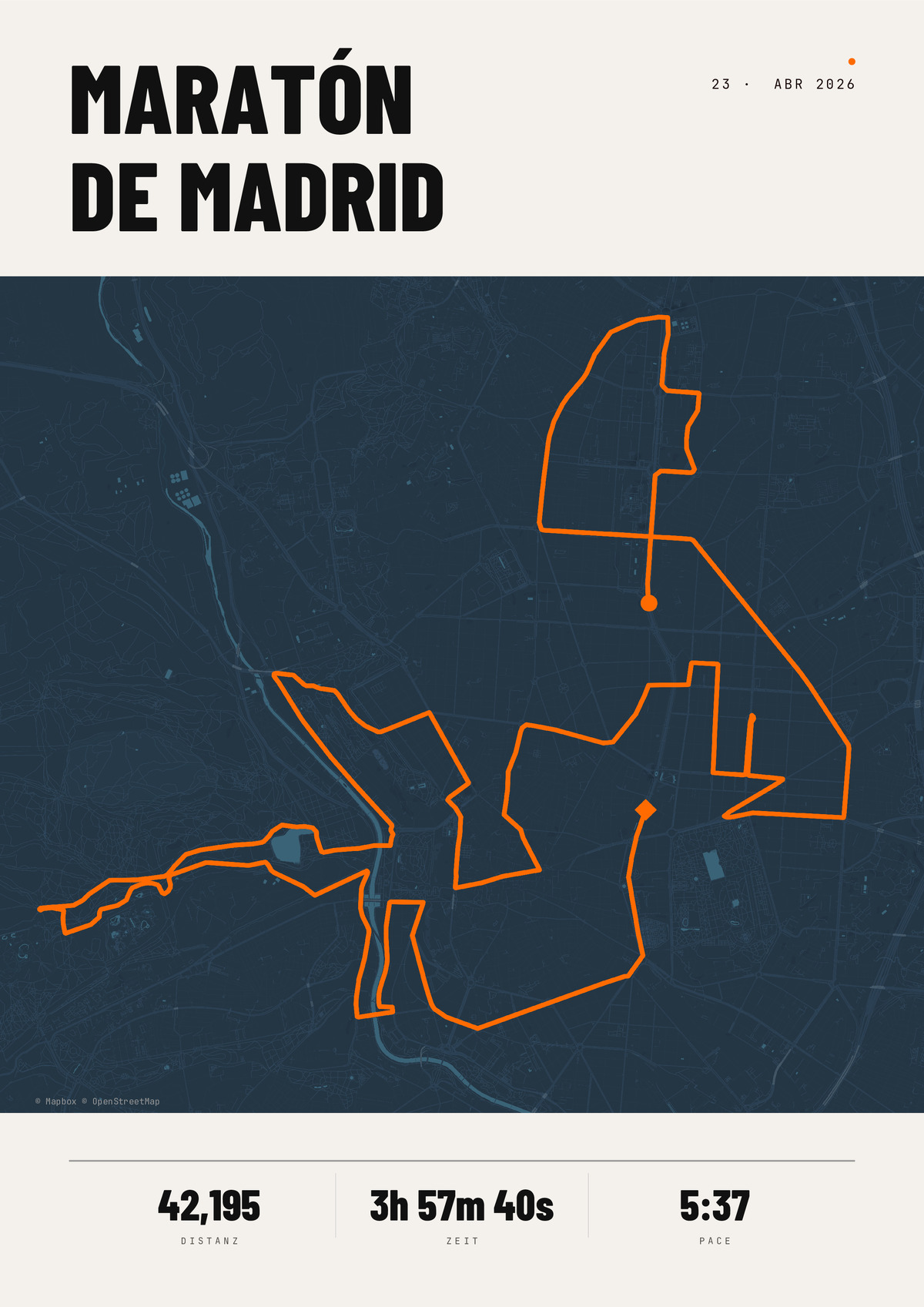
Maratón de Madrid
The official Madrid Marathon course: from the Paseo de la Castellana along the Gran Vía, through the Puerta del Sol and past the Royal Palace to the finish in Retiro Park. 42.195 km through the Spanish capital – as a poster with your time, the date and your name.
PDF · 300 DPI · ready for printing
- 200 g/m², silk finish
- FSC-certified · sustainable
- Free shipping · sturdy protective packaging
- high-quality map based on real GPS data
- customizable with your text and colors
- various formats and frame options
- fast shipping or instant download
What is the Madrid Marathon?
The Madrid Marathon is Spain's biggest spring city marathon. It is run in April on closed roads right through the capital and passes almost every Madrid landmark. Tens of thousands of runners take part across the marathon, half marathon and 10 km.
The course
The start is on the Paseo de la Castellana, the city's great north–south boulevard. The route runs along the Gran Vía, through the Puerta del Sol and past the Royal Palace, loops through the Casa de Campo park and finishes in Retiro Park. Madrid sits at around 650 metres and the course is rolling – a good time here is well earned.
Key facts
- Distance: 42.195 km
- Elevation: rolling, with several climbs (Madrid sits at around 650 m)
- Date: spring, usually April
- Location: Madrid, Spain
- Notable: start on the Paseo de la Castellana, finish in Retiro Park
Your route as a poster
You can open the official route straight in the editor and design your poster – with the course line, distance and, optionally, your time, the date and your name. If you ran it yourself, upload the GPX file of your own activity instead (how to export it from Strava).